FCC Paragon — referencing that runs inside the application, not beside it.
FCC Paragon provides tenant referencing for UK lettings: identity and right to rent, credit bureau search, affordability, previous-landlord references. Metra Thrive runs the whole exchange from the application record — one click to submit, live progress as the checks return, and a report your team decides on without leaving the file.
One click from the application
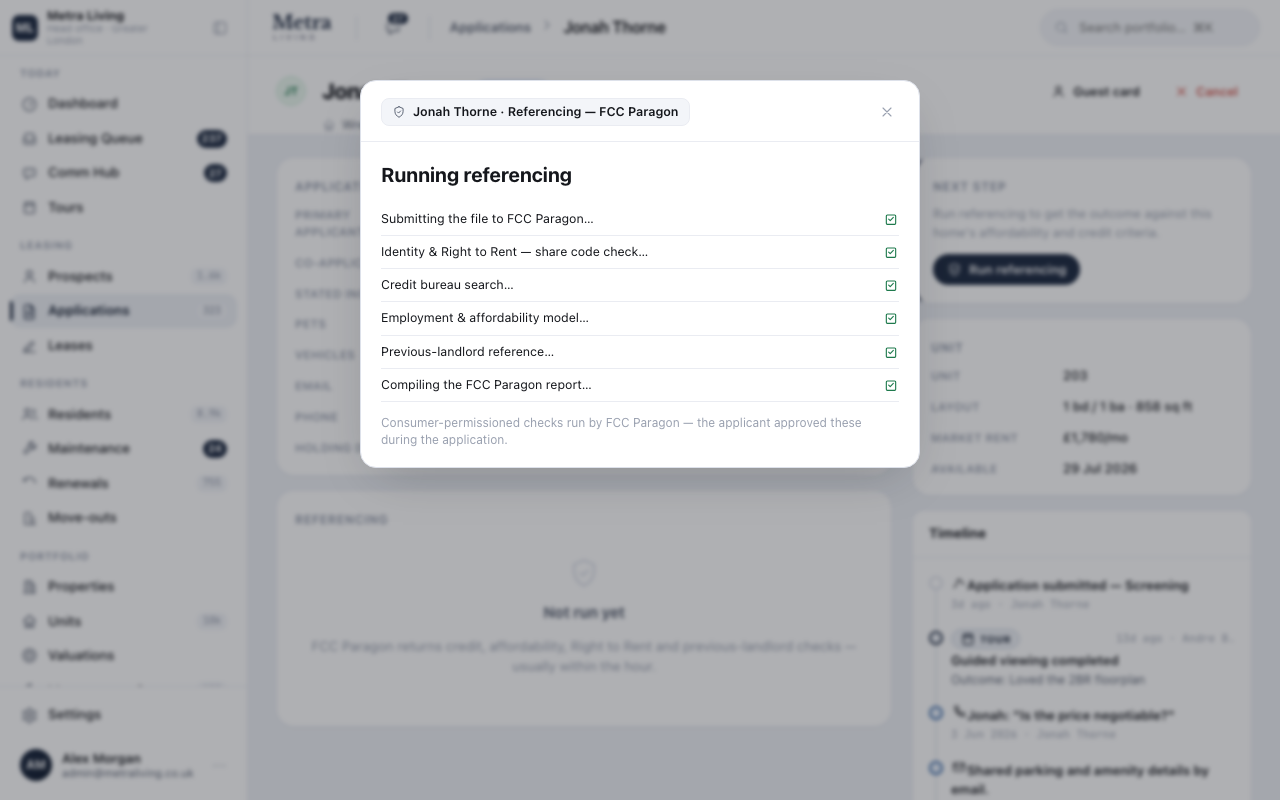
Referencing starts from the application record and reports its progress check by check — identity and right to rent, credit bureau, affordability, landlord reference. The team watches it happen instead of chasing an inbox.
A report the team can decide on
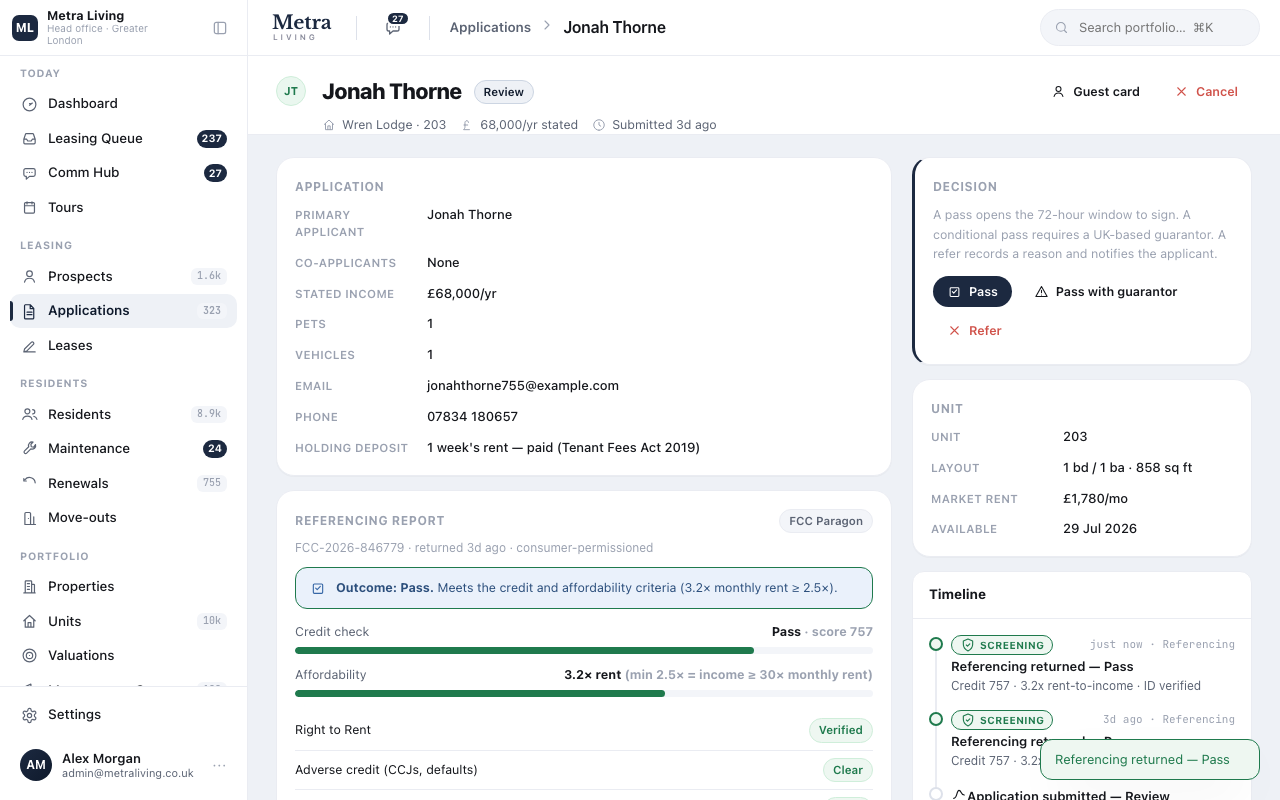
The returned report sits on the application: reference number, outcome, credit score against your criteria, affordability multiple, right to rent and landlord reference — each check with its detail. Pass, pass with guarantor, or refer: the decision is made on the same screen and stamped with who and when.
Connected, visible, testable
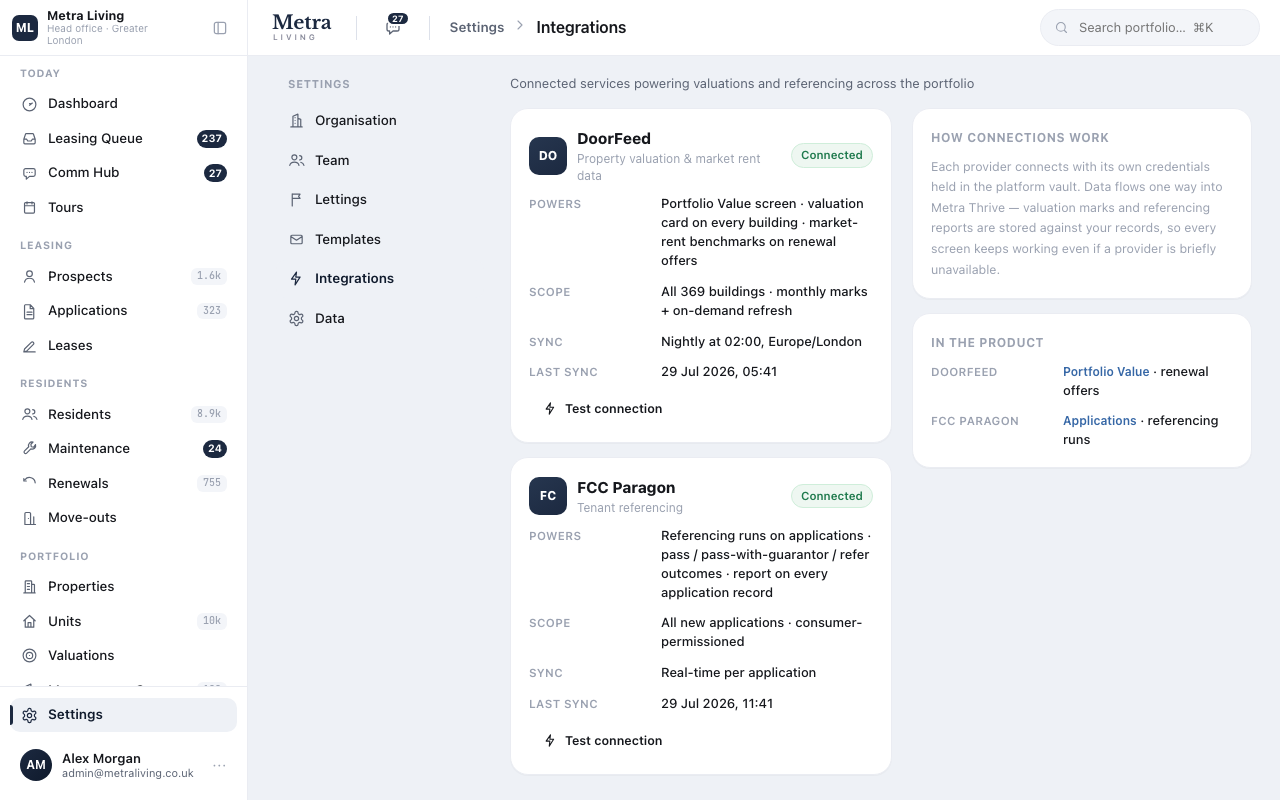
The integration lives in Settings with its scope, sync cadence and a connection test — so head office can see at a glance that referencing is healthy across every operator using the platform.
How the exchange works
FCC Paragon is live in the platform right now.
Sign in to the seeded portfolio and use these surfaces yourself — every screen above is the working product, not a mock-up gallery.